


ThriftBooks: New & Used Books
4.12.05K Reviews
App Specs
- Version
- 2.3.12
- Updated On
- License
- Free
- Downloads
- 1,000,000+
- Developer
- Thrift Books Global, LLC.
- Categories
- Books & Reference
- Platform
- Android, iOS
Screenshots
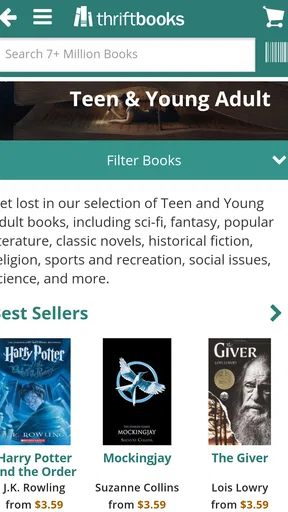
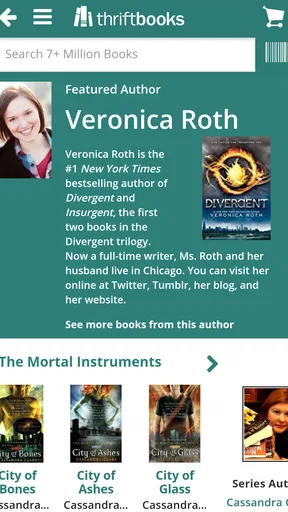
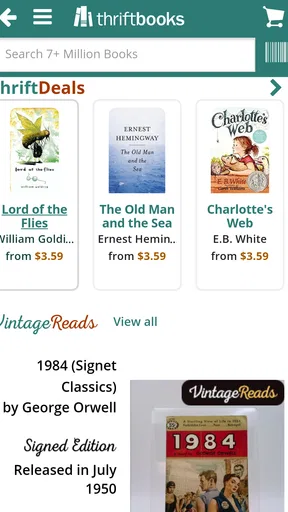
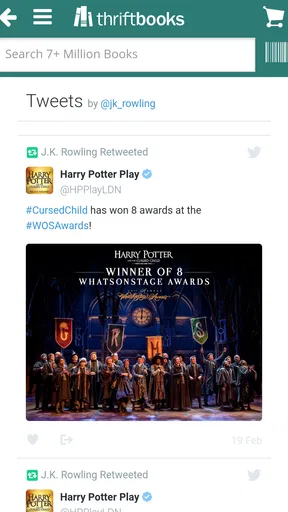
 Analysis by AppCompare
I often browse for a book with one clear title in mind, then leave curious about something I had not planned to read. That mix of targeted searching and casual discovery is where ThriftBooks: New & Used Books makes the most sense to me. It is a shopping app in the books and reference space, built around finding printed books rather than reading them on a screen. I’d consider it when I want to stretch a book budget, track titles for later, or look for a less obvious addition to my shelves.
Finding your way through a large catalogue
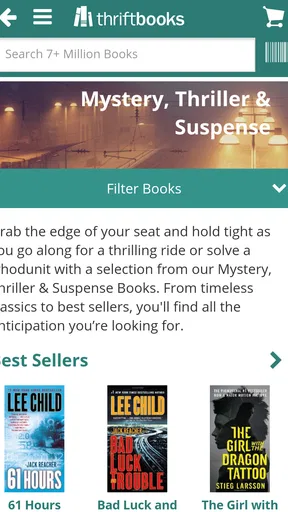
The first practical question is whether a large selection is manageable on a phone. ThriftBooks gives readers a way to look for books by title, author, or genre, which makes it useful both when I know exactly what I want and when I am only browsing a subject. Its scale is a real draw: the catalogue covers more than 13 million new and used books, so a precise search can save time compared with wandering through broad category pages.
That breadth also asks a little patience from the shopper. A search result is a starting point, not a guarantee that the first option is the best fit. I’d compare the available conditions and editions before adding a copy to my cart, especially for a title where the cover, publication format, or physical state matters. If I’m buying a book as a gift, I’d be more deliberate than if I’m looking for an inexpensive reading copy for myself.
In everyday use, I find it helpful to treat a search as a short research task: check the exact title and author, inspect the copy condition, then decide whether the listing matches what I meant to buy. This small habit matters with used books because two copies of the same work may not feel equivalent to the person receiving them. The app’s browsing flow can make shopping straightforward, but careful selection still rests with me.
Screen readability and navigation
The published app details identify ThriftBooks as free, with a Teen content rating, and the current version is 2.3.4. It was released on February 27, 2017, and supports Android 5.0 and later. The developer is Thrift Books Global, LLC. Those basics help set expectations about where the app fits, but my decision to use it would still come down to whether I can comfortably read listings and move through the shopping steps on my own device.
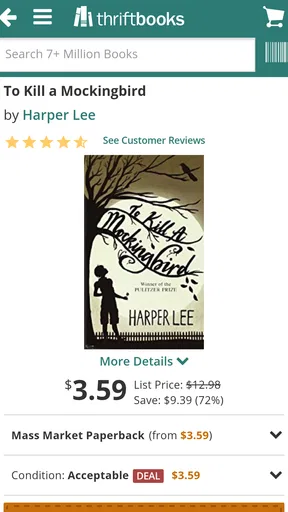
The interface is described as clean and easy to navigate, and that simple approach suits a task that can otherwise become a jumble of editions, authors, and browsing categories. I’d still recommend taking a moment to read each result rather than tapping quickly through a long list. A book’s condition is especially important: the available labels, from “Like New” to “Acceptable,” give a useful first distinction, but shoppers should choose according to how much wear they are willing to accept.
Making the experience work for different readers
For people who find small text tiring, visual clutter distracting, or touch controls difficult, a book-shopping app can be less comfortable than browsing in a shop or on a larger screen. I would not assume that a tidy interface automatically makes every screen easy for every person. If text is hard to scan, using the phone’s own display settings may help, and taking breaks between searches can make a long browsing session less demanding. A friend or family member can also help check a particular listing when the condition wording or edition details feel unclear.
Worth Reading Before You Choose

EA SPORTS FC Mobile 26 Is a Bigger Football Game, but It Takes Time

Flipboard Shows What News Apps Must Do Beyond the Feed

Switching to Android Auto Means Rethinking Your Driving Routine

Google Calendar Makes a Crowded Week Easier to Manage

Ludo King Makes the Most of the Minutes Between Plans

Baby Panda World Brings Quick Play to Modern Phones, but Its Game Library Feels Busy
The app is most useful when I have enough time and attention to compare options. It can fit a quick search while waiting for an appointment, but choosing among used copies is better done when I can read the details without rushing. That makes it a flexible shopping companion rather than a perfect substitute for every context: someone who needs to inspect a book physically before buying may prefer a local shop, while someone with limited mobility may value being able to browse from home, provided the app’s controls work well on their device.
Budget choices, wish lists, and rewards
For readers watching their spending, the appeal is the chance to shop among new and used titles at substantial discounts, with some listed at up to 80% off list price. The actual value depends on the copy and the book I want, so I would compare the condition and total purchase details rather than assume every title is a bargain. A lower price can be a sensible trade-off for a well-loved paperback, but not if I need a pristine copy or a particular edition.
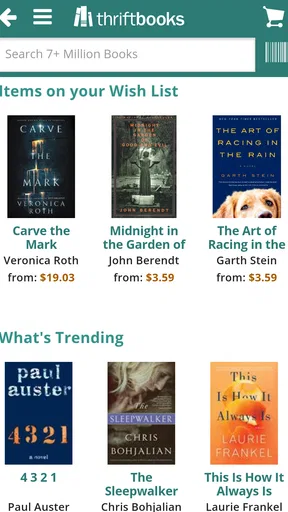
The wish-list option has a more useful role than simply saving impulse buys. I can keep a list of books I’m considering, then revisit it when I’m ready to make a choice instead of trying to remember every title from a browsing session. For a reading group, class, or personal project, that can help me collect possibilities first and narrow them down later. It is also a practical way to separate “interesting someday” from “I need this now,” which makes browsing feel less pressured.
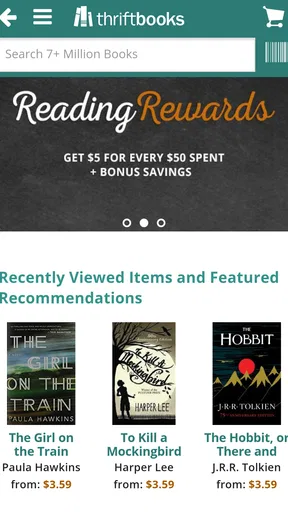
ThriftBooks Rewards gives purchases a longer-term angle: points can be redeemed for free books. I’d treat that as a bonus for buying books I already intended to get, not as a reason to spend more than planned. When comparing the app with a general online marketplace, the book-focused catalogue and rewards are appealing; a local used-book shop may be better for inspecting a copy in person, while a digital bookstore is the more direct choice if I want to start reading immediately without waiting for a physical book.
Discovery without losing control of your choices
Personalized recommendations can help when I have finished one book and want a few possible next reads. Because suggestions draw on browsing and purchase history, I’d use them as prompts rather than treat them as a complete picture of my taste. If I have been searching for a gift or a school title, those searches may not represent what I want to read for pleasure. A focused search or a deliberate wish list can keep that distinction clearer.
Reviews from other readers are another useful input, particularly when I am unfamiliar with a title. I like having a chance to see how other readers respond, but a review is one person’s reaction, not a substitute for checking the book’s subject, edition, and condition. Social sharing can be enjoyable if I like discussing reading with friends, though it is not central to the shopping task. Readers who prefer a private, quiet browsing routine can simply focus on searching and saving titles.
Who I’d recommend it to—and where I’d hesitate
I’d recommend the app to readers who are comfortable shopping for physical books on a phone, enjoy browsing used copies, and are willing to inspect listing details before buying. It can be particularly handy for building a personal reading list on a budget, tracking books for a club, or looking for an out-of-the-way title without making a trip to several shops. It has a 4.1 average from around 4.6 thousand ratings, and more than a million installs; those figures suggest it has found a substantial audience, though they do not tell me whether a specific title or shopping flow will suit my needs.
I would hesitate if I need a book immediately, want to judge paper and binding in person, or find phone-based product listings uncomfortable to use. In those cases, a nearby bookshop or a digital reading service may be a better match. I’d also be cautious when buying a used book for someone else: condition expectations vary, and I would choose a clearly suitable copy rather than rely on the low price alone.
Discovering the World of ThriftBooks
When I first stumbled upon ThriftBooks, I was pretty intrigued. The idea of having thousands of books at my fingertips, both new and used, seemed like a bookworm's dream. The app is available on both Android and iOS, making it super accessible for everyone. Once you download it, you’re greeted with a clean and easy-to-navigate interface that doesn’t overwhelm you with too many options right off the bat.
The search functionality is quite impressive. Whether you’re hunting for a specific title, author, or genre, the app makes it easy to find exactly what you want. I found myself pleasantly surprised by the variety, from classic literature to contemporary hits. It’s like having a personal library that fits in your pocket.
Shopping Made Easy
What really sets ThriftBooks apart is its shopping experience. You can easily browse through the selection and add items to your cart with a simple tap. The app offers various conditions for used books, from "Like New" to "Acceptable," which is great if you’re picky about the state of your books.
One of my favorite features is the ThriftBooks Rewards program. Every purchase earns you points, which you can eventually redeem for free books. Who doesn’t love getting free books, right? It’s a fantastic incentive to keep coming back for more.
Exploring New Features
Another cool aspect is the personalized recommendations. Based on your browsing and purchase history, ThriftBooks suggests books you might love. It’s almost like the app knows your reading habits better than you do! This feature has introduced me to several new authors and genres I might not have considered otherwise.
The app also lets you create wish lists. This is perfect if you want to keep track of books you’re eyeing but aren’t quite ready to purchase. I often find myself adding titles to my wish list, especially when I'm in a book-browsing mood.
Community and Connection
ThriftBooks doesn’t just stop at selling books; it also fosters a sense of community among readers. There are options to read and write reviews, allowing you to share your thoughts with fellow book enthusiasts. I’ve found some of my current favorite reads by skimming through these reviews. It’s a great way to connect with others who share your passion for reading.
Another aspect worth mentioning is the app's integration with social media platforms. You can easily share your latest finds or reviews on your favorite social media, letting your friends know what you're reading or recommending books they might enjoy.
Final Thoughts on ThriftBooks
In a nutshell, ThriftBooks: New & Used Books is a must-have app for anyone who loves to read but doesn’t want to spend a fortune. With its vast selection, user-friendly interface, and rewarding loyalty program, it’s no wonder it’s become one of my go-to apps for book shopping.
If you haven’t tried it yet, I highly recommend downloading it and giving it a whirl. Whether you're a casual reader or a dedicated bibliophile, you're bound to find something that piques your interest. Happy reading!
Pros
- Vast selection of new and used books.
- User-friendly interface and easy navigation.
- Affordable pricing with frequent discounts.
- Eco-friendly by promoting book reuse.
- Rewards program for frequent buyers.
Cons
- Limited access to rare or niche titles.
- Shipping times can vary significantly.
- Occasional issues with book condition.
- App notifications can be overwhelming.
- In-app search function needs improvement.
FAQs for ThriftBooks: New & Used Books
What is ThriftBooks and how does it work?
ThriftBooks is an online retailer specializing in new and used books at discounted prices. Users can browse a vast selection of titles across various genres. The app allows easy search, ordering, and tracking of purchases, making it convenient for book lovers to find affordable reading material and have it delivered to their doorstep.
Is there a membership or subscription fee for ThriftBooks?
No, ThriftBooks does not require a membership or subscription fee. Users can freely browse and purchase books without any recurring payments. However, there is a rewards program called "ReadingRewards," where customers can earn points for each purchase and redeem them for free books, enhancing the shopping experience.
What kind of books can I find on ThriftBooks?
ThriftBooks offers a diverse range of books, including fiction, non-fiction, textbooks, children’s books, and rare or out-of-print titles. With millions of options available, users can explore various genres and find books suited to their tastes, whether they’re looking for the latest bestseller or a classic novel.
How does ThriftBooks ensure the quality of used books?
ThriftBooks categorizes used books into different conditions such as "Like New," "Very Good," "Good," and "Acceptable." Each book is carefully inspected to ensure it meets the specified condition. This transparency helps customers make informed decisions and provides assurance about the quality of their purchase.
What are the shipping options and costs on ThriftBooks?
ThriftBooks offers various shipping options to accommodate different needs. Standard shipping is often free on orders over a certain amount within the U.S. Expedited and international shipping options are also available at additional costs. Shipping fees and delivery times vary based on the chosen method and destination.


